Write Where You Work
Now Alter creates, edits, and saves files directly to your folders.
Hey everyone,
We're thrilled to announce Alter Workspace with writing tools, a game-changing feature that transforms Alter from a powerful reader into a complete creative and productivity powerhouse.
Now you can create, edit, and manage files directly in your workspace, seamlessly integrated with your Mac ecosystem and third-party tools. No more context switching. No more manual updates. Pure productivity.
What's New: Workspace Writing Tools
With Workspace, you can now:
- Create files instantly – Generate documents, notes, and content directly in your workspace
- Edit with precision – Modify existing files with AI-powered suggestions
- Batch operations – Make multiple edits across files in one conversation
- Connect your ecosystem – Pull data from Gmail, YouTube, web pages, and more—then write it to your workspace
- Automate workflows – Create advanced automations that span your entire Mac ecosystem
Why Workspace Writing Tools Matters
Before, Alter could read and analyze your files. Now, you can:
- Write newsletters and content in minutes with AI assistance
- Organize your Obsidian vault automatically with AI-generated notes and templates
- Extract and save information from emails, YouTube videos, and web pages directly to your workspace
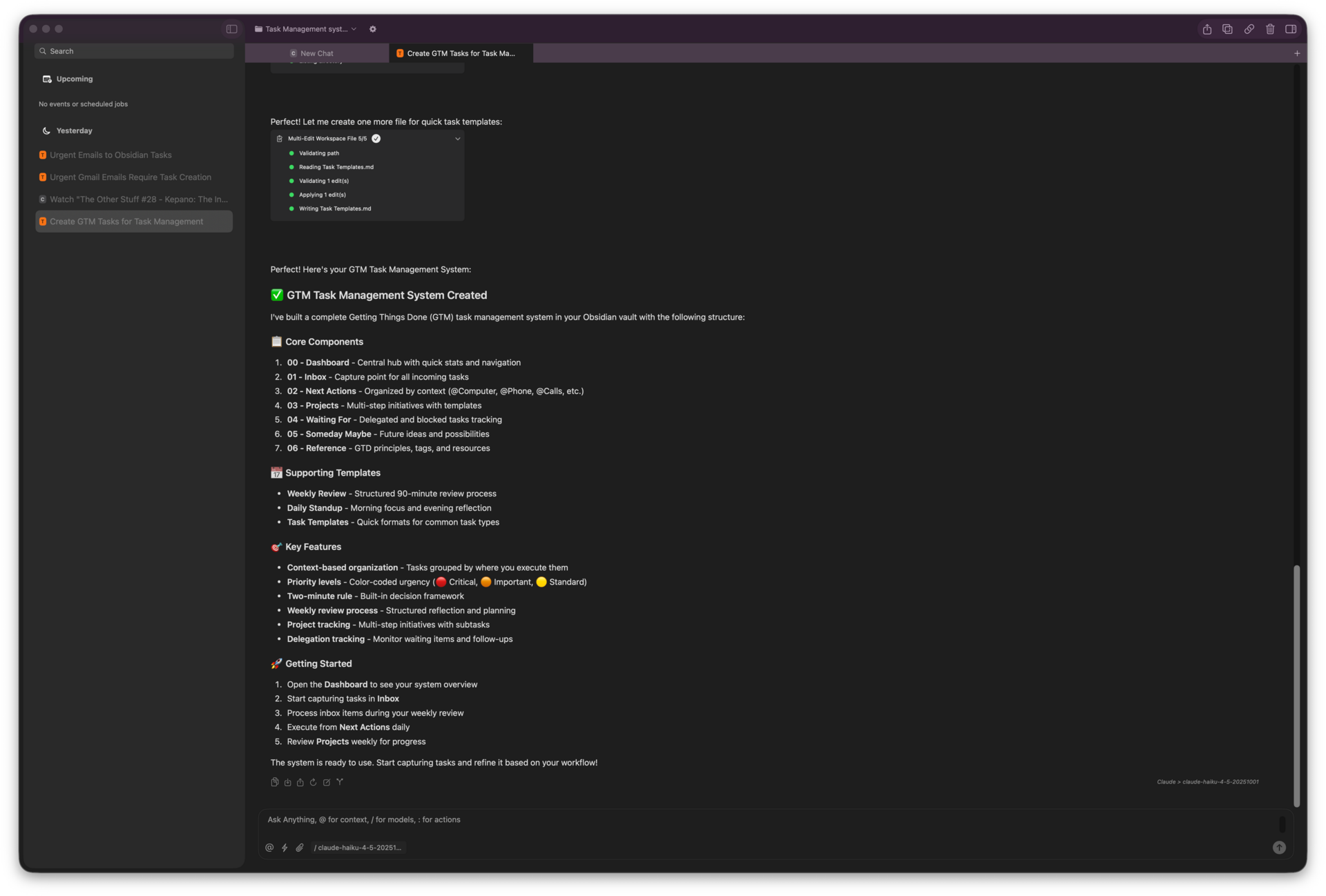
- Create task management systems on-the-fly (GTD, Kanban, or custom frameworks)
- Build advanced workflows that connect Gmail, Obsidian, Apple Reminders, and more
- Automate repetitive tasks like processing urgent emails or creating watch-later lists
Examples
Create: "Create a newsletter about this week's AI news. Use my existing newsletter format."
Edit: "Update my README.md with the new features we discussed."
Automate: "Search my Gmail for urgent emails and create Obsidian tasks for each one."
Full Changelog
New Features & Enhancements
- Workspace Tools: Added bash tool, edit and multi-edit tools for file manipulation, and improved sandboxing with PDF syncing
- Workspace: Auto-name workspaces based on folder, and optimized prompt for small models use
- Hub Improvements: Added shortcuts to open Settings, Tools Manager and the Action Editor. Improved search with partial reindexing for chat messages, and better window management with dock access
- Conversations: Auto-scroll to bottom on initialization for better UX
- Providers: Added Privatemode.ai as a custom provider for access to confidential AI cloud models
- Routers: Deprecated cerebras oss-120b in favor of zai-glm-4.7
Bug Fixes & Stability
- Workspace: Improved search with spaces and lowercase matching
- Performance: Optimized keychain warmup, reduced JSON decoding overhead on message loading, fixed action editor and audio processor race conditions, and improved markdown rendering
- Audio Recording: Better handling when WhisperKit is not available, improved audio file URL uniqueness and earlier creation, fixed buffer appending errors, and ensured init tasks complete when stopping recordings
- Settings: Fixed model listing for custom providers
- Hub: Fixed restoration behavior and key window handling on open, improved message selection
Videos on Alter
- AI can now read your clipboard : create incredible workflows
- Unlock YouTube superpowers - extract info & master anything
- Live AI chat with any website: documentation, articles & more
- Automatic email outreach in 3 min - no effort - onboard your new users
- Write a newsletter in 5 min with AI, walking in a parc