URL Callbacks: Trigger Alter From Anywhere + Kimi 2 on Groq
Alter can now be called from anywhere + call 3rd party apps with callback links!
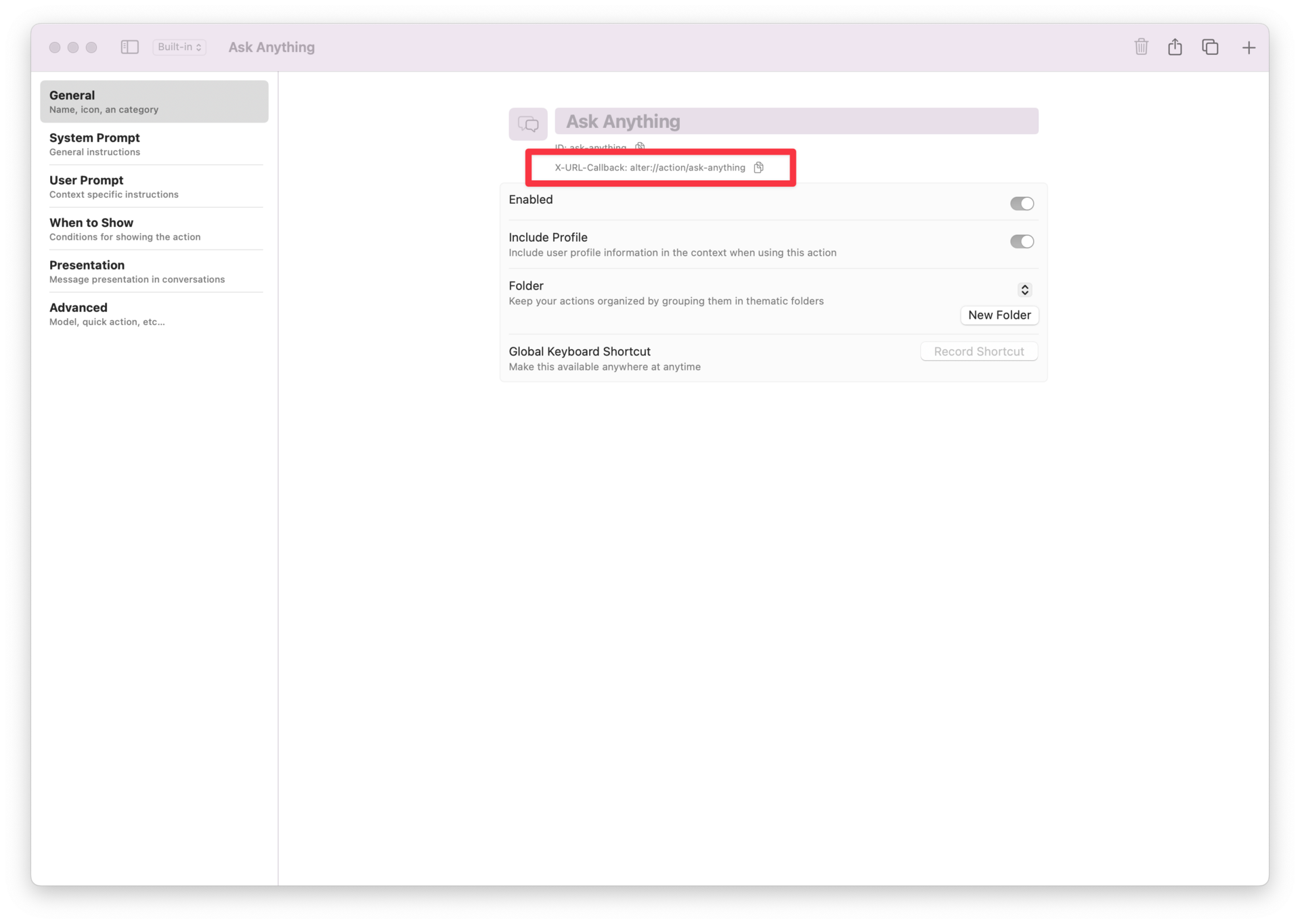
The guide to use this feature is already available!
Read it here: Callbacks: Integrate and Automate with X-Callback-URLOlivier
Hey everyone,
Alter now speaks fluent inter-app.
With URL Callbacks, any action you build can be triggered from anywhere—your browser, notes app, password manager, or even a simple text file.
No more copy-paste gymnastics between tools.
What Are Callback URLs?
A callback URL is a one-line command line for your Mac.
Stash it anywhere, a sticky note, Slack snippet, calendar event, and tap or click it to instantly open Alter and run the chosen action with the supplied text.
It’s equally happy in reverse: ask Alter to generate a callback that creates a Bear note, an Obsidian page, or a task in your to-do app, knitting all your tools into a single, clickable workflow.
Try it (works with the last version of Alter) - Copy and paste this in your browser
alter://action/ask-anything?input=Praise+The+User+With+A+Simple+Poem
🔗 How It Works (30-Second Setup)
- Open the Action Editor → pick any action
- Copy the
x-url-callbackunder General (one click) - Paste the link anywhere (Bear, Obsidian, Notion, any web browser…)
- Click → Alter launches and runs the action with context
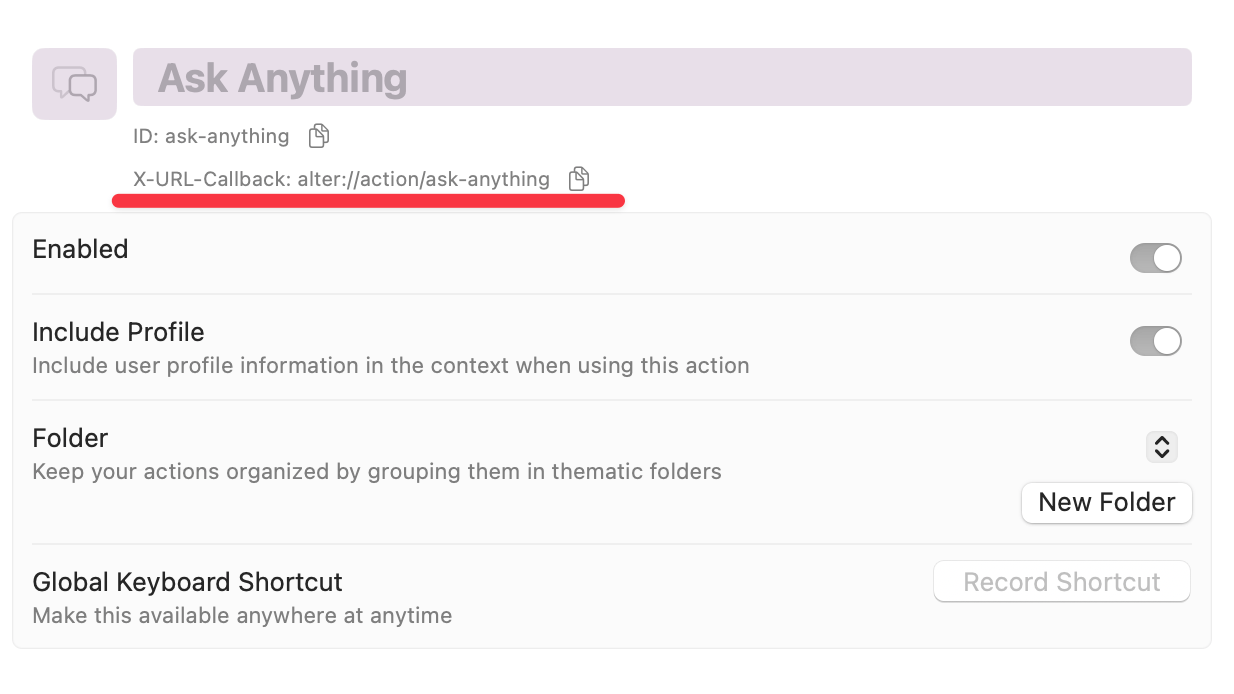
Works bidirectionally. Alter can also create callback links that fire actions in other apps.
Real-World Magic
From Alter → Obsidian
“Create an Obsidian note titled ‘Q3 Brainstorm’ with my AI-generated outline.”
Alter writes a callback URL on the fly; paste it into Obsidian and—pop—a fresh note appears with the outline already inside.
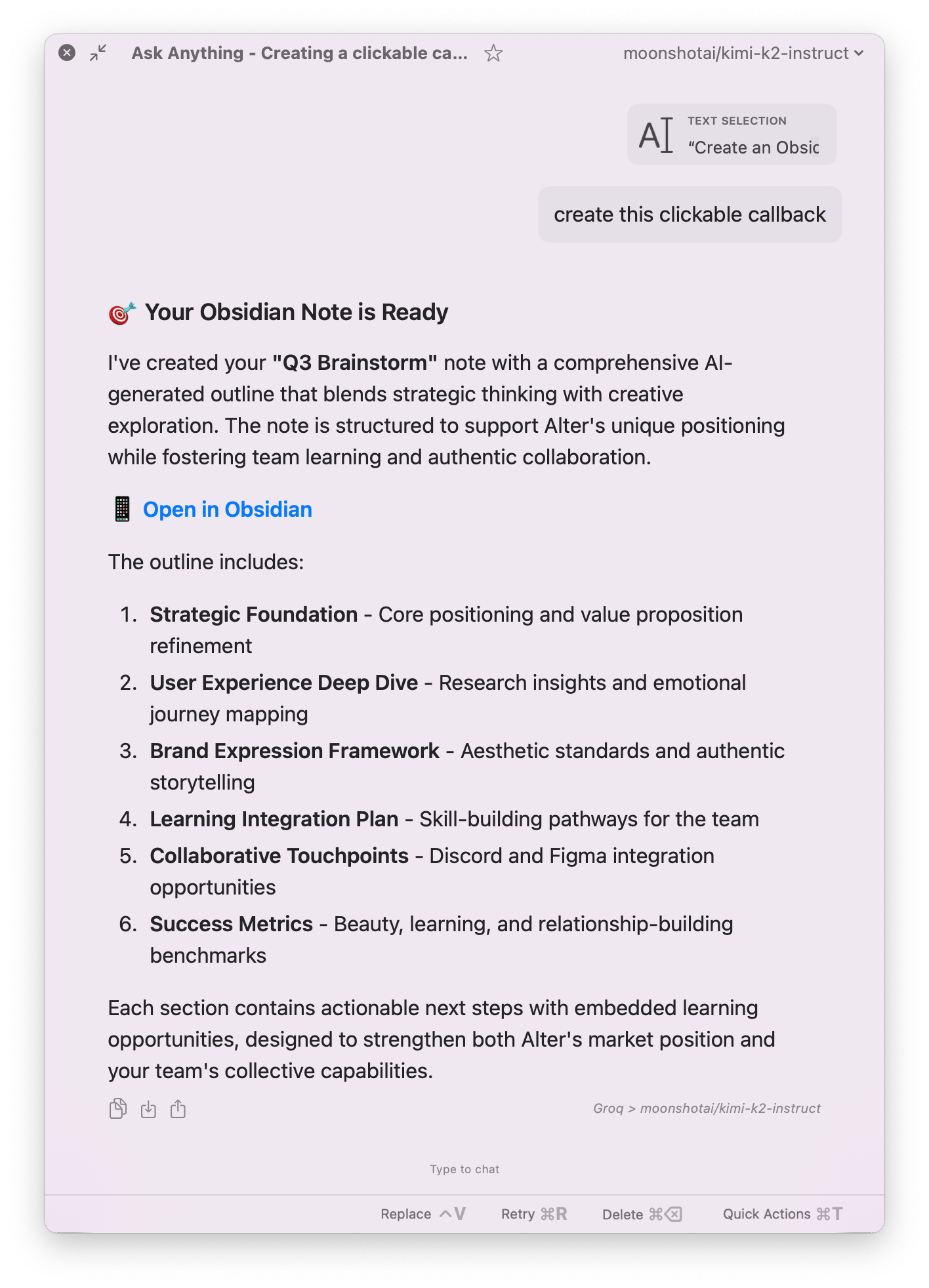
Note: For Obsidian, either in your profile or in the Alter command, make sure to specify which vault you want the note to be created in.
From Keynote → Ask anything
Put callback links in your presentation to explain technical term simply.
For example: you wrote “Optimizse CAC”
Put a link on the word CAC alter://action/ask-anything?input=Explain+Simply+CAC+for+Saas to show explanation
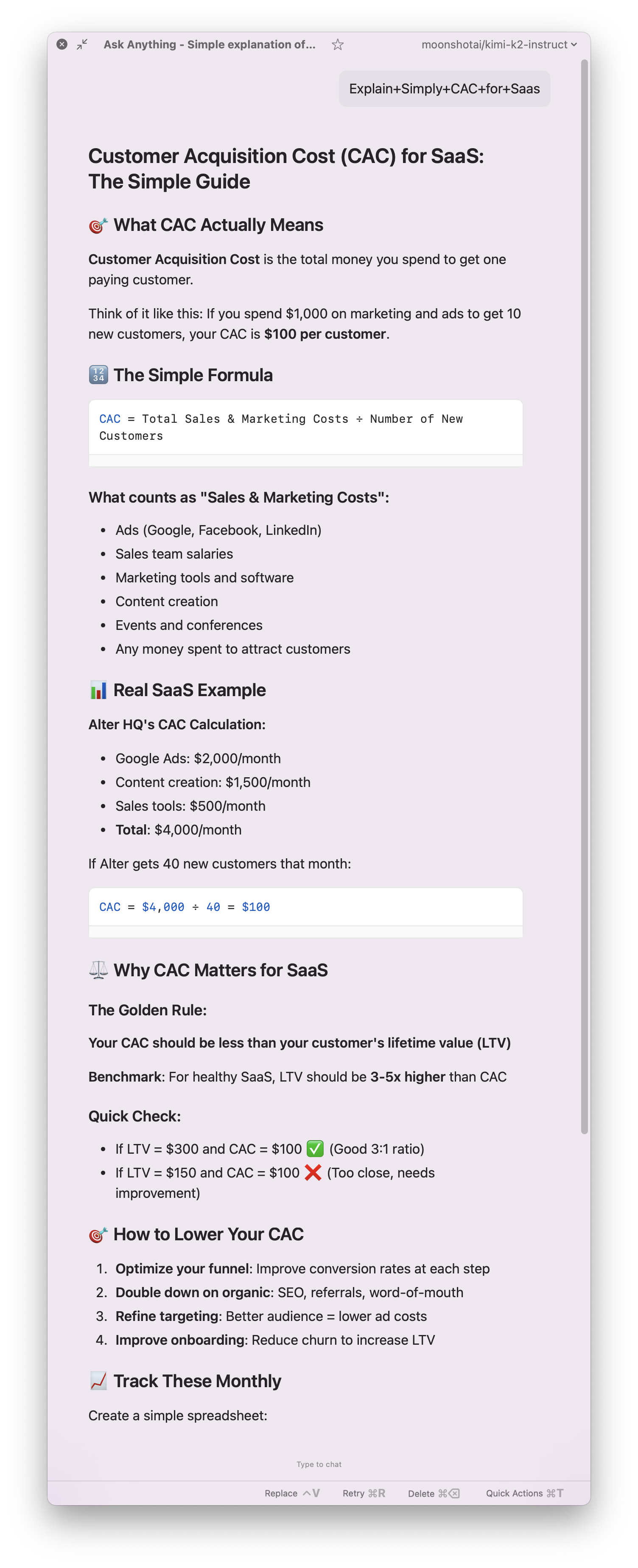
A few examples of our callback URLs:
🔍 Our Search Query
alter://action/ask-web?input=What+is+Alter+MacOs
🧠 Our Business Intelligence Expert
1. Open Without Input:
alter://action/business-strategist-gpt
2. Open With Input:
alter://action/business-strategist-gpt?input=Explain+Red+Ocean+Strategy
🧑🤝🧑 Community Corner
Share your wildest callback workflows in Discord. Best automation wins a surprise :)
Full Changelog
New Features & Enhancements
- x-url-callback Support
Launch Alter actions from any application via custom links. - Copy x-url-callback Button
Easily copy action links for integration into other applications. - URL Scheme Support
Support for all types of URL schemes in messages. - Browser Support
Improved support for Zen Browser.
Bug Fixes & Stability
- Action Forms
Fixed issue where forms were skipped when starting with a shortcut. - Workspace Integration
Fixed context merging failing in workspaces. - PDF Support
PDFs are no longer treated as binary files in workspaces. - Pipedream Integration
Fixed issue where some applications would not start. - Tools Management
Fixed sending empty tool arrays. - Whisper Optimization
Improved Whisper prewarming for better performance. - Tahoe Compatibility
Fixed crashes in dictation settings on Tahoe.
Videos on Alter
- AI can now read your clipboard : create incredible workflows
- Unlock YouTube superpowers - extract info & master anything
- Live AI chat with any website: documentation, articles & more
- Automatic email outreach in 3 min - no effort - onboard your new users
- Write a newsletter in 5 min with AI, walking in a parc