⚡️ Every Copy is Now an AI Superquery
No more copy-paste juggling - your clipboard content goes straight to AI.
👋 Hey everyone,
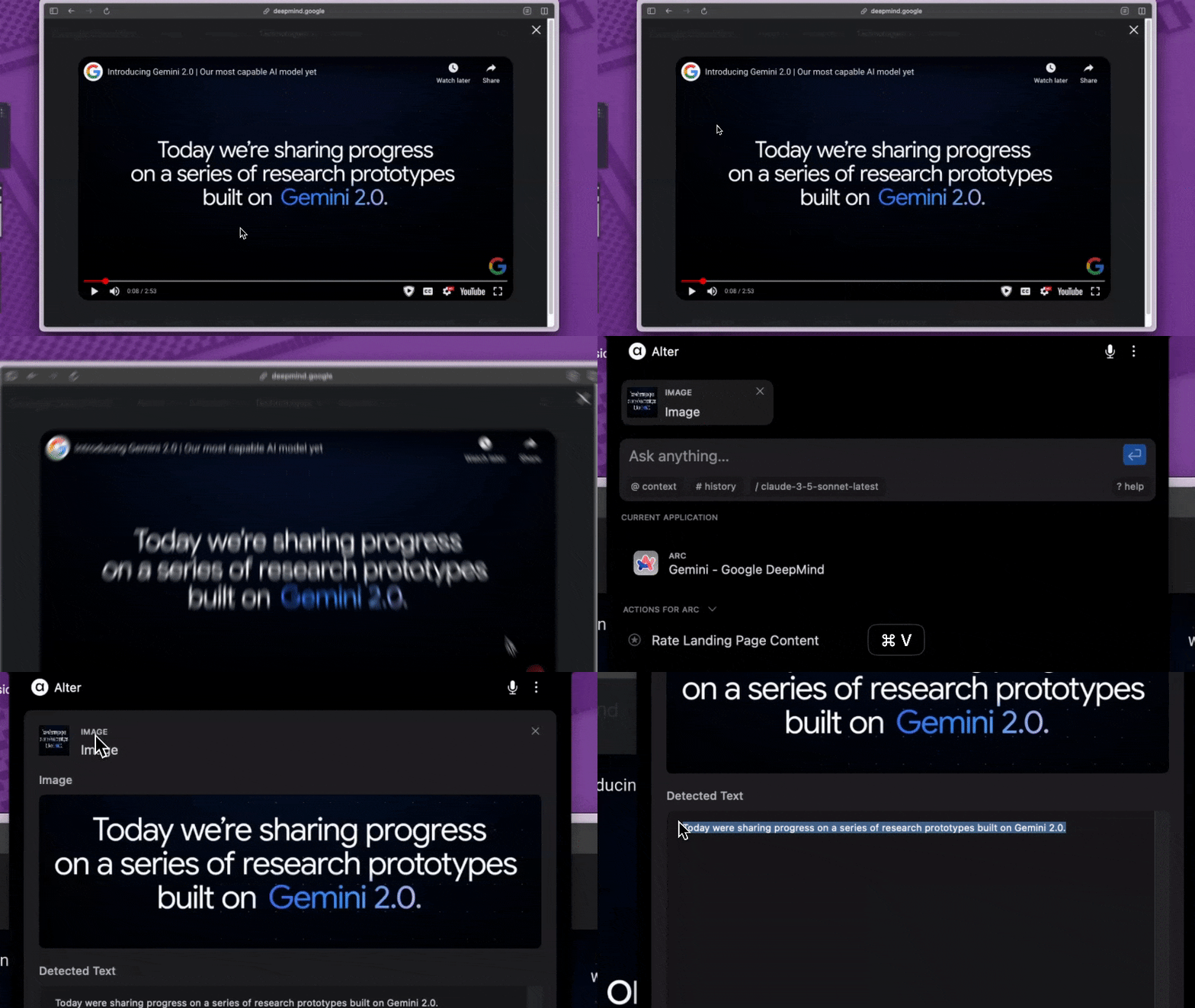
Universal clipboard support is here. Simply copy anything and paste it directly into Alter's notch.
- Universal clipboard support (text, files, folders, images)
- Instant OCR for screenshots
- Smart context building from clipboard content
⚡️ Time-Saving Workflows:
- Take a screenshot with macOS shortcuts → CMD+V → Instant OCR
- Copy anything → Paste → Start chat
Also improved (community requests ❤️):
- Download AI responses as files
- Close artifact panel with a single click
- Audio recording notifications
- New model: Gemini 2.0 Flash
Ready to eliminate context-switching? Update now!
💡 Help shape what's next:
Join our Discord community→ https://discord.gg/gvCMmfBRWZ
Best,
Sam
Other changes
Voice & Dictation
- Fixes to avoid audio recordings crashes
- Big improvement over dictation
- Smart formatting based on the active app
- Support for dictating emojis
Navigation & Controls
- Delete conversations, workspaces and transcripts with backspace
- Support for tab key in form
- Clear context list after use
Visual Experience
- Prevent input shifts in the conversation view
- Artifacts can be closed
System
- Fixed memory leaks
- Better performance listing past conversations
- Better multi-language support for built-in prompts
- New fix for saving conversations
- Avoid multiple Youtube notifications on Brave
- Support for pasting images and files in the notch (cmd+v)