Drag, Drop, Done: Now In All Conversation Windows
Add context to live chats - exactly how you've asked for it
Hey everyone,
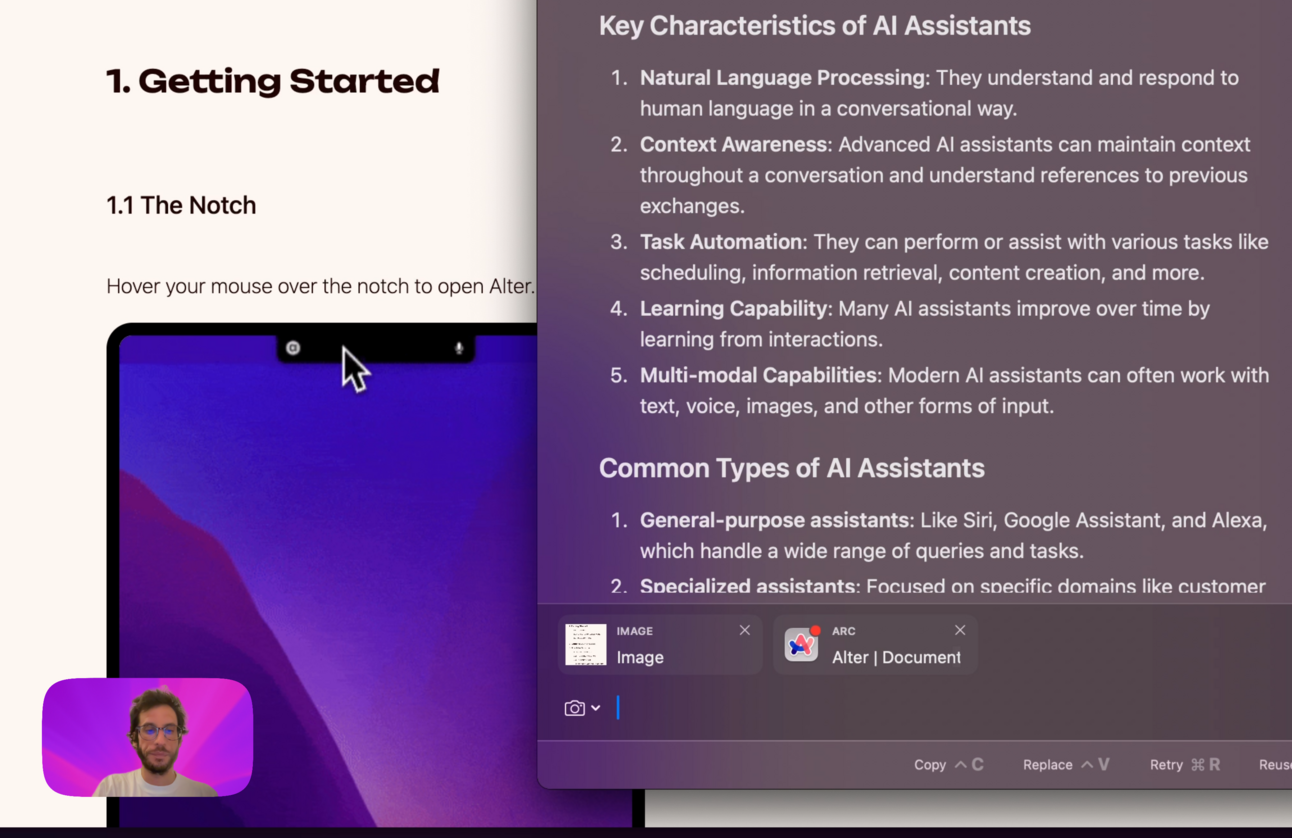
🔥 JUST RELEASED: You can now drag & drop or copy-paste any files or images directly into your existing Alter conversations!
This is the contextual AI experience we've been building toward - where your assistant adapts to your workflow, not the other way around.
What this means for your productivity:
- Continuous thought streams - No more restarting conversations to add new information
- Seamless context building - Drop in research, images, or code as your work evolves
- True workflow integration - Your AI assistant that grows with your thinking process
At Alter, we believe AI should fade into the background of your work - powerful enough to transform your productivity, yet natural enough that you forget it's there. This update is a significant step toward that vision.
See it in action:
We can't wait to see how this transforms your workflow. Share your experience in our Discord→ https://discord.gg/gvCMmfBRWZ
Best,
Sam
Other changes
Voice & Dictation
- Another set of performance improvements
- Prevent keep recording notification from being shown at start
Visual Experience
- New notch mode: Hide me!
- Add line wrapping in markdown code blocks
- Show a deletion confirmation dialog when deleting a transcript or a conversation
- Prevent notch closing immediately when opening
- Fix inconsistent appearance in the Settings
- Show Alter version in the menubar
System
- When opened, the entire notch works as a drop zone.
- Clamp number of images generated to match models capabilities
- Support for OpenAI o1 and o3 models
- Fix Keynote slides generation
- Support Mistral as a custom provider
- Fix some AppSense crashes