Automatic Meeting Recording
Yes, even we forget to record meetings from time to time.
Hello!
We're thrilled to announce our most requested feature is finally here: Auto Meeting Recording!
Now Alter automatically detects when you're in a meeting and offers to record it - no more scrambling to hit record or missing important conversations.
We also have released a guide about Meeting recording best practice.
Why You'll Love This Feature
- Zero Effort Required - Join your meeting and Alter handles the rest
- Works Across All Major Platforms - Zoom, Google Meet, Microsoft Teams, Whatsapp, Facetime.
- Complete Meeting Memory - Perfect transcripts with speaker identification
- Instant Access to Past Conversations - Find exactly what was said with time-stamped navigation
How It Works
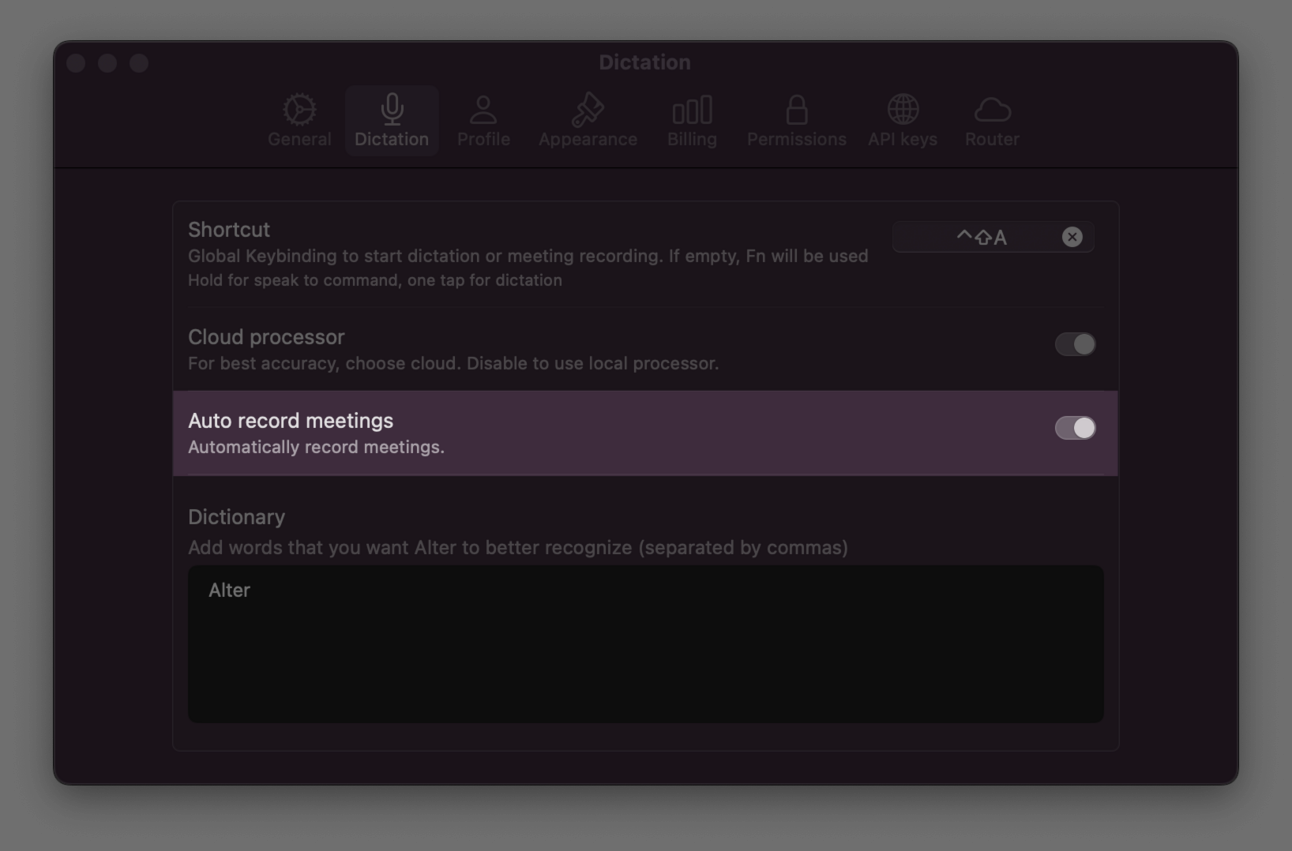
Simply enable Auto Meeting Recording in your settings:
- Open Alter Settings > Dictation tab
- Toggle "Auto Record Meetings" to ON
- That's it! The next time you join a meeting, you'll see a notification
- Do nothing (or click the X) and recording begins automatically
Pro Tips for Meeting Masters
- All recordings are automatically transcribed with speaker identification
- Navigate recordings with interactive timestamps
- Ask Alter questions about your meeting content later
- Find all your transcripts in
~/Library/Application Support/Alter/Transcripts
This feature is highly experimental so let us know how it works for you
- Join our Discord community to share your experiences and get support: https://discord.gg/gvCMmfBRWZ
- Contact us directly at [email protected] for any feedback or suggestions.
Best, Sam
Other changes
Voice & Dictation
- Add Facetime to the watch list for meeting detection
- Show a message when speakers names can't be edited (conversation)
User experience
- New settings to disable Youtube and Meeting notifications
- Auto scrolling improvements in conversation windows
- Fixed broken paste behavior with the Correct Grammar action
- Add a shortcut to delete a conversation right away (CMD+DEL)
System
- New model: Gemini 2.5 Pro Preview (us-central), Grok 3
- Fixed max_tokens error when the value is not supported by the model
Videos on Alter
- Perfect speaker identification for all your meetings
- How to chat with YouTube Videos
- How to chat with apps (or the fantastic follow-mode)
- How to use Workspaces
- A 2-minute demo of Alter
- How to chat with Files and Folders from the Finder
Download Alter to experience these improvements firsthand.